
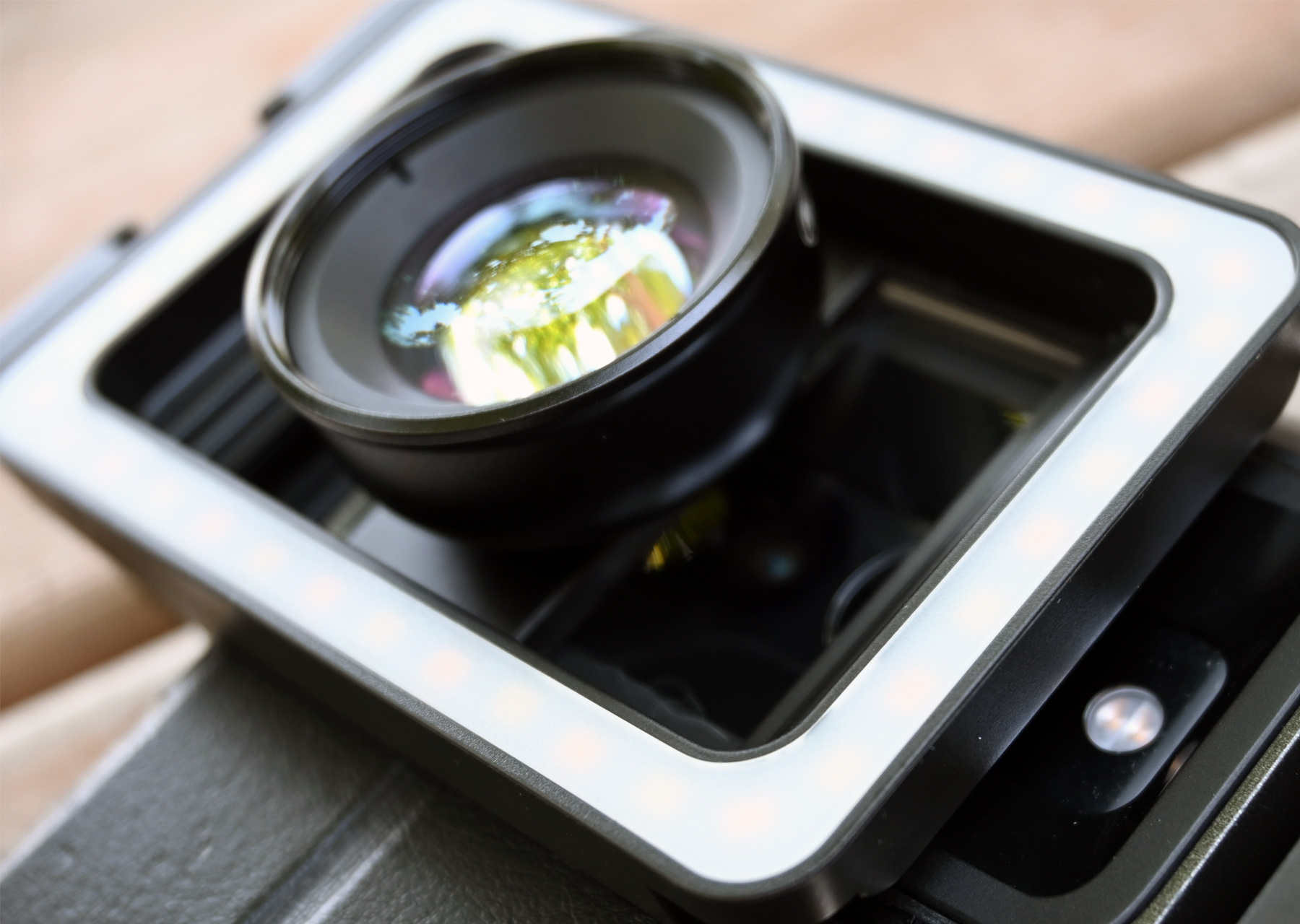
I recently received an interesting review offer. It wasn’t the usual lighting kits or clone brick brands that often find their way into my inbox. Instead, I was offered an Apexel Macro Lens that clips onto my smart phone. Apexel invited me to try out their product for photographing LEGO® Minifigures for my reviews and social media feeds. Intrigued, I decided why not present the True North Bricks community with a different sort of review. Today, I’m diving into the Apexel Macro Fill Light set (APL-HB100FL23).
NOTE: this Apexel macro lens was provided to me for free in exchange for a review. Despite that, I am providing my honest opinion on this product.

What’s included in the box:
Upon opening the packaging, I found a nice, zippered, hardshell carrying case for the lens and its accessories. It measures about 11 cm by 8 cm, and is about 6 cm thick. The case is just large enough to accommodate everything included with the Apexel macro lens, and I greatly appreciate this accessory. Even though the lens comes with protectors for each end, the case represents an added layer. Additionally, the case isn’t huge and fits easily in my backpack or small shoulder bag when I go for a walk or hike. While the primary purpose is protection, I like that the case bundles everything together so I can easily grab it and pack it, or remove it from my bag when I don’t need it. There’s no searching for components in my bag.

Inside the case, you get a 100 mm macro lens, a multifunctional lens clip, a USB A-to-USB C charging cable (for the lights), some stick on cushioning pads, and a lens cleaning cloth. The cushioning and cleaning cloth are fairly self-explanatory. Let’s look at the other items in a bit more detail.

Multifunctional Lens Clip
This piece clips onto your smart phone using a spring clamp that spreads from around 5 cm up to about 9 cm. Consequently, width-wise, it holds most phones. The lens dock slides on a track in the clip, allowing you to position the actual macro lens above your phone’s various built-in lenses. Once again, that allows the clip to adjust to differing measurements among varying phone models. It is important to note here that the lens itself does not require any power from your phone.

I also like that this clip fits my phone case. My phone case is rather thick because it includes a small wallet space for credit cards. To give you an idea, my phone is a Google Pixel 7 Pro, which is about 1 cm thick. My case makes it 1.5 cm thick. I often have to remove my case in order to use ring lights and selfie-sticks because they don’t spread wide enough and/or have the required depth to securely hold my phone. The Apexel system fits pretty well.

The fill light is a neat idea, but has limitations…
The multifunctional clip does have a battery powered function: the fill light. The clip features built-in batteries, so it does not drain your phone. You charge the batteries using the provided cable. However, the phone does not include a USB dongle for your wall. That’s not an issue for me because I have dozens of dongles hanging around the house. But it is something to consider if you order one of these lenses.

I like the inclusion of the light function on the clip. However, the light intensity is a minor point of contention. You can cycle between three light settings by pressing a button. However, the difference between settings is rather minimal (see images below). I would rather have a greater change in intensity or different warmth options for more diverse lighting effects.


The Apexel Macro Lens
The lens screws into the sliding dock on the lens clip. As a result, you can slide the macro lens over your phone’s primary camera or its built-in macro lens for varying effects. The Apexel macro lens is really best suited to close-up Minifigure portraits. It blurs the background more than your phone lenses will, making the minifig really pop. To illustrate, I took photos using the Apexel lens on both my primary phone camera, as well as on its built-in macro lens.


Choosing to use the macro lens or not depends on what you are trying to convey in the picture. It hands down wins for portraits.


You’ll notice in both of the above examples, the Apexel macro lens produces a warmer image than my phone does on its own. Alone, my phone captures more of the surrounding area than the Apexel lens does, and more detail. That is not a complain though. As I mentioned earlier, the Apexel lens is better suited for Minifigure portraits. I quite like it in that regard. Using the Apexel lens or not depends on what you are trying to portray in the photo. Obviously, if the background is important, I would not use the Apexel lens.


Upwards angles are more challenging to achieve.
The photo angle is the other noticeable difference. I am fond of taking upwards angled photos. They make the Minifigures appear larger and bolder in a way. The Apexel lens makes that difficult. Using only my phone, I can place the device flat on the ground and simply tilt the lens up to achieve an iconic Minifigure shot. Since the multifunctional slip and the macro lens are a bit bulky, they raise the whole phone up to a more eye-level position in relation to the Minifigure. In order to achieve an upward angle, you need to set up a stage or take photos on a natural incline where the phone can be positioned lower than the Minifigure. You’ll notice in the previous images, the Apexel lens always makes the Minifigure appear more head on despite me holding the phone directly on the ground.
The edges of the lens show up in some images, but that can create interesting visual effects.

You also need to keep in mind that the Apexel lens has a pretty specific focal length. Your phone can adjust its focus automatically when used on its own. However, my phone seemed unable to do this with the Apexel macro lens attached. You can still zoom in on your subject using the phone’s zoom, but the device itself has to sit a specific distance from the object you are shooting. In general, that is a little closer to the Minifigure than I would typically place my phone. None of this bothers me, it just takes a little getting used to.


The verdict on the Apexel macro lens…
I like the Apexel macro lens. It is simple to use and I don’t need to know a whole lot about photography to get crisp, colourful photos of my Minifigures. I like that the multifunctional clip easily accommodates my bulky phone case. Additionally, I enjoy the warmth the lens naturally adds to my photos. This was my first experience with a clip-on photography accessory for my phone. I have only been playing with it for about a week at this point. As such, I am sure I’ll learn more tricks as I continue to shoot with the lens.

For now, I think the Apexel macro lens is a solid, inexpensive accessory for great Minifigure close-ups. If you are interested in trying an Apexel lens yourself, I’ve score you a deal. You can get 15% off your purchase using the link and the code below. Are you interested in trying it out? Let me know in the comments or reach out on social media.
| CLICK HERE to go shop Apexel’s range of products. Use the code truenbricks15 at checkout to get 15% off your purchase. |
Until next time,
-Tom
Want to support True North Bricks?
If you like the content at True North Bricks, please follow on Instagram, Facebook, LinkedIn, YouTube, or TikTok for regular content. Additionally, you can support True North Bricks by making your LEGO® (and other) purchases using the links in the margin to your right. As an affiliate of those retailers, we earn from qualifying purchases. These earnings come at no extra cost to you but help to keep the content at True North Bricks free.